We tested four ways to restore a damaged photo. Here is what worked and what didn’t
A first-hand comparison on a public-domain Library of Congress photograph with known damage: face-only restorers, a generative editing model and two dedicated restoration services.
By the ColorizeOldPhotos editorial team
· 6 min read
Before building our tool we wanted to know which approach actually repairs a damaged photograph without changing the people in it. Marketing pages did not answer that, so we ran the same two images through four different pipelines, all through the fal.ai API. This is what we found.
How we tested
- Images: the clean digitized photograph, and a copy with synthetic scratches, creases, stains and fading.
- What we looked for: was the damage removed, did the faces stay the same, was the output cropped or resized, and how long did it take.
- Limits: one subject, one damaged copy, no blind panel. We looked at the results ourselves. Models and prices change quickly, so treat this as a snapshot from September 2026.
What we found
| Approach | What happened |
|---|---|
| Face restorer (CodeFormer) + colorizer (DDColor) | Did not remove scratches, creases or dust. CodeFormer works on faces only, and it smoothed the faces. The colorizer needed about 90 seconds on a cold start (about 13 seconds when warm). |
| Generative editing model (Nano Banana 2, with a prompt to keep faces and composition unchanged) | Removed the damage and stayed closest to the original. 21 to 34 seconds per image, with no cold start. |
| Dedicated service: image-apps-v2 photo restoration | Cropped the picture to 4:3 and returned a 4096 px image. |
| Dedicated service: image-editing photo restoration | Colorized the photo on its own and repainted the faces. |
The most useful surprise was how much the first row failed. Face-restoration models are good at faces and say nothing about the rest of the picture, so a scratch across a coat or a crease across the background stays exactly where it was.
What we built from it
- Colorize only uses the dedicated colorizer alone, because for a clean photograph it adds color without redrawing anything.
- Restore and restore + colorize use the generative editing model, with a prompt that tells it to keep faces, poses and composition unchanged and not to add or remove people or objects.
- We later switched the restore output from 1K to 2K, so the file you download is about 2048 px, much larger than the 720 px watermarked preview.
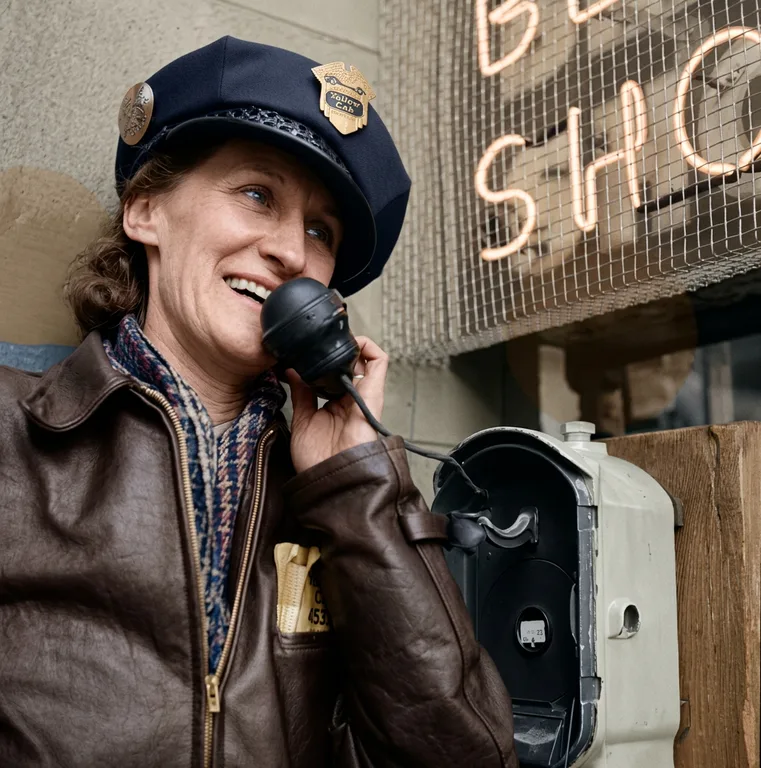
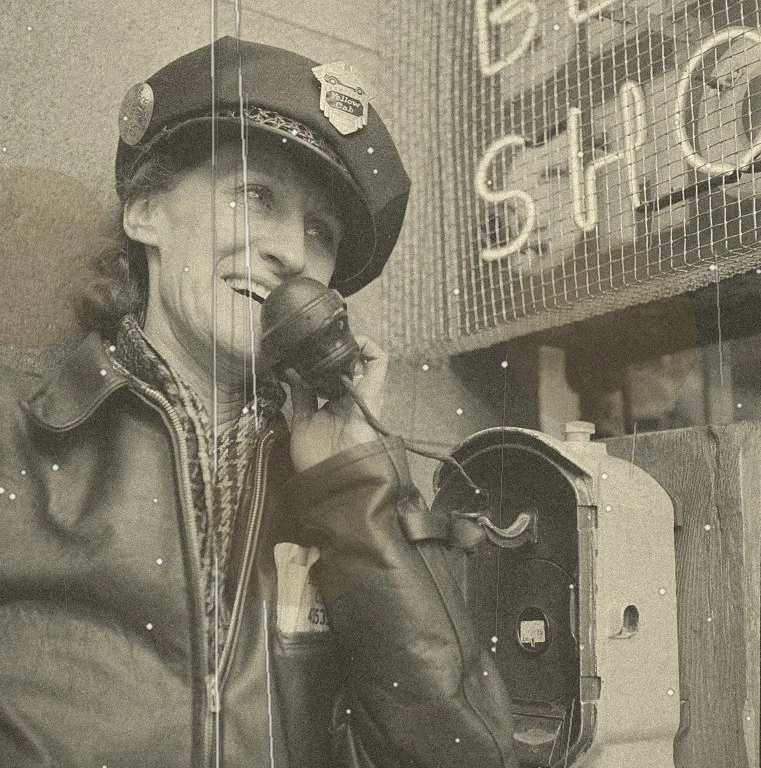
The example above is a different photograph, but it shows the same behavior: scratches, creases and stains are gone, and the face is still recognizably the same person.
What this does not prove
- It is a generative model, so a face can still change. Compare against the original every time. We say so on the tool page for the same reason.
- Large missing areas are reconstructed, not recovered. No test of ours says otherwise.
- A different photograph, a different level of damage or a newer model could rank these differently. We will update this article when we re-test.
For what to do before and after the repair step, see how to restore old photos.
Sources
About this guide
Written by the ColorizeOldPhotos editorial team. ColorizeOldPhotos is operated by windflash, founded by Jason Guo, who since 2005 has started a number of projects spanning AI applications, website development, game development and operations. Read more on the about page.
Found a mistake or an out-of-date claim? Email support@colorizeoldphotos.com and we will fix it and note the change here.
Try it on your own photo
Upload a scan and see the result in about half a minute. Previews are free and need no sign-up.