AI Photo Colorizer
Add realistic color to any black and white image. Choose natural or vivid color and compare before and after.
Drop an old photo here
JPG, PNG or WebP · up to 12 MB · no sign-up
Colorizing takes about 10 seconds.
See the difference
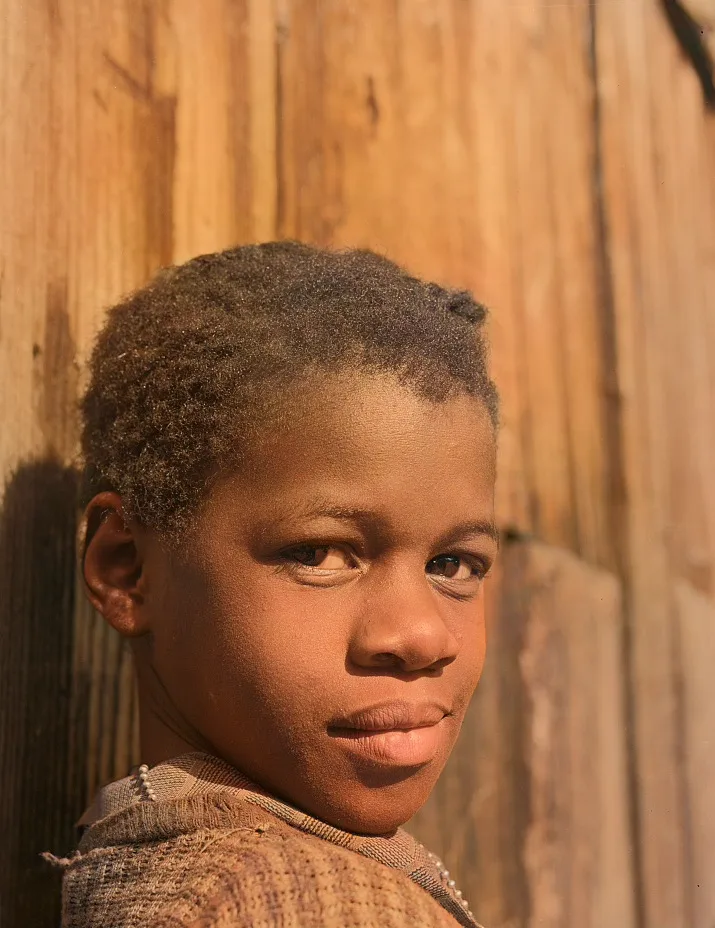
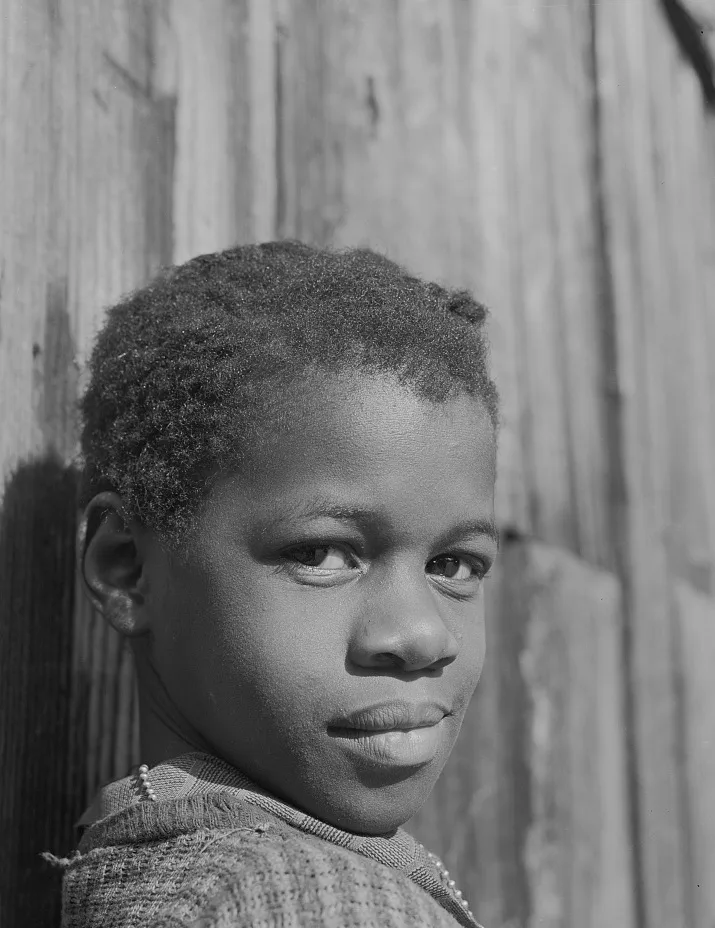
How the photo colorizer works
- Step 1
Add your image
Upload a black and white or sepia image. Portraits, street scenes, landscapes and documents all work.
- Step 2
Colorize
The model predicts a color for each region and returns a full color version in around 15 to 30 seconds.
- Step 3
Compare and save
Use the slider to check the result against your original, then download it in full resolution.
An image colorizer built for accuracy over drama
Some colorizers push saturation so a picture pops on social media. This one is tuned the other way: colors that a person would call realistic, with restrained skin tones and natural skies. That suits genealogy work, archives, and prints you plan to frame.
The colorize-only mode runs a dedicated colorization network. It keeps the structure of your photo, so the sharpness and the grain you upload are the sharpness and the grain you get back. It does not repaint faces, and it does not invent new details.
What you can colorize
Black and white photographs
The primary use. Prints and negatives from any decade, scanned or photographed.
Sepia and toned prints
Brown or blue toned images are treated as monochrome and re-colored.
Cleanly scanned film
Medium and large format scans carry the most detail and give the cleanest results.
Screenshots and archive frames
A still from old footage works too, though low resolution limits how detailed the color can be.
Colorizer or restoration: which one do you need?
A colorizer only adds color. If your image is clean and sharp, the colorizer is the faster and cheaper choice, and the result stays very close to the source. If your image has scratches, creases, water stains, dust or heavy fading, colorizing it will keep all of those. In that case use old photo restoration with the color option, which removes the damage and colorizes in one pass.
A practical test: zoom in to 100 percent on your scan. If you see lines, blotches or missing patches, choose restoration. If it just looks soft or grey, choose the colorizer.
Colorizer versus a general chatbot
General AI assistants can recolor a picture when asked, and they can be good at it. The trade-off is fidelity: a general image model regenerates the picture, so faces, hands, text and small objects may change without warning. A dedicated colorizer works on color only, which is why it is the safer choice for portraits of real people you want to recognize.
Getting natural results
Use the highest resolution scan you have, and avoid images that were already upscaled or heavily compressed. Crop out borders and album pages because dark frames can push the model toward odd color casts. If a result feels too warm or too cool, try the photo again or check whether the original has a strong tone that the model is treating as an actual color cast.
Remember that any AI colorizer guesses the color of man-made objects. Cars, uniforms and clothing are the most common places to see a mismatch with reality.
Related tools and guides
- Colorize old photos
Restore and colorize a photo in one step.
- Old photo restoration
Remove scratches, creases, stains and fading, with optional color in the same pass.
- Pricing
Free previews; credits only when you download.
- Privacy policy
Photos deleted within 24 hours and never used for training.
Frequently asked questions
Are my photos stored or used to train AI?
No. Photos are processed to produce your result and are automatically deleted within one to two days. We never use uploads to train models.
Are the colors historically accurate?
AI colorization is an informed estimate, not a record of the original colors. Skin tones and natural scenes usually look right; uniforms, cars and clothing may need a manual tweak or a family recollection.
What kinds of damage can be repaired?
Scratches, creases, fading, stains, dust, noise and blur. Restoration uses generative AI, so faces are preserved as closely as possible but can change slightly; compare against your original. Very large missing areas are reconstructed rather than recovered.
What is the best way to scan an old print?
Scan at 600 DPI or photograph it flat in even daylight without flash. Higher-quality input gives noticeably better results.
Is it free?
You can preview results for free without signing up. Downloads use credits: colorizing costs 1 credit, restoring (with or without color) costs 2. New visitors get a few free previews every day.